Add New State
In order to add new state, click  to show Add State page as shown below.
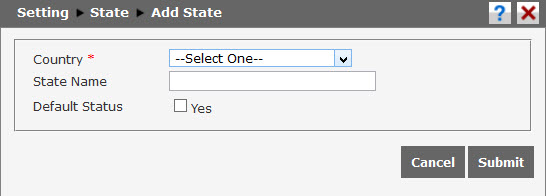
Follow these steps to edit the information:
- Choose the country in Country option (required). Click
 to open the option then choose the country.
 - Input state/province name in State Name box. For example, “DKI Jakarta”.
- Tick “Yes” to make the state/province name as default option.
Cllick  to save the data. Click
  to cancel adding new data.