Add Wifi Authentication
If the user wants to add the wifi authentication, go to Setting > System Setting > Mobile Management > Wifi Authentication menu and click  to display the + button as follow.
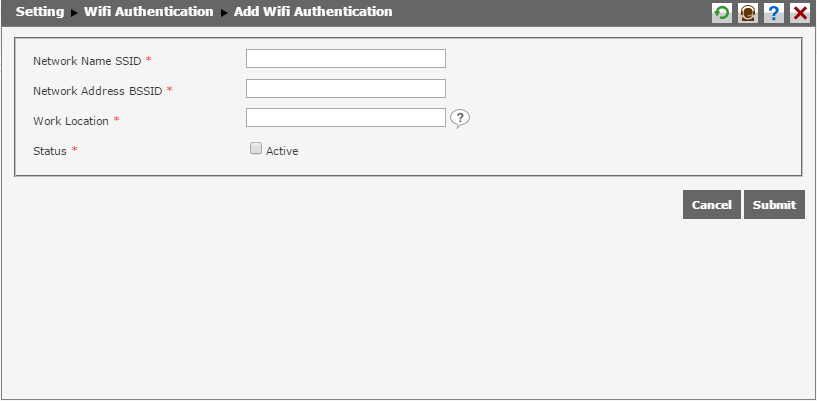
To add a new wifi authentication, the user has to fill the following fields in advance.
- Network Name SSID : Type in the wifi name.
- Network Address BSSID : Type in the wifi BSSID address.
- Work Location : Type in the work location by clicking
 . Then, the list of work location will appear.
 - Status : Select "Active" to activate the wifi authentication so that it can be used.
Click  to save the data into the system. Click
  to abort any action and return to the previous page.