Data Authorization Group Member
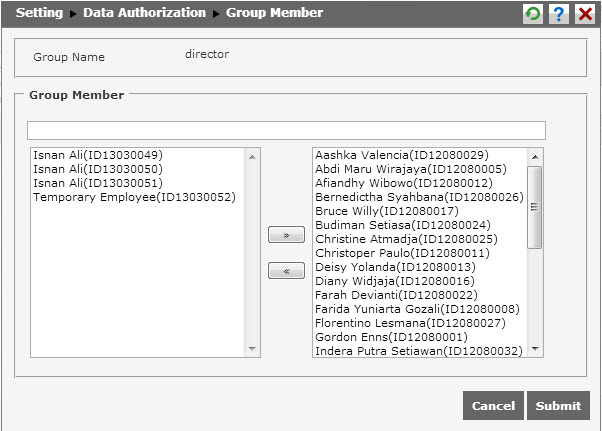
Data Authorization Group Member Setting helps the user to arrange members of the group. To do it, click  to show the following page.
How to Use:
The page shows 2 boxes. The left-side box contains of the employee name and the right-side box contains of the group member name. To include the employee as the group member, select employee in the left-side box and move it to the right-side box by clicking  . To select more than one employee, hold CTRL and SHIFT while selecting. To return employee into the left-side box, select the employee then click
  .
.
After finish completing the data, click  to save the data. Click
  to cancel adding new data authorization group member.
*Notes* :
Member icon  will appear if users select “user mapping” in Admin Type field.
Click this link to show video guidance
Back to Top