Add Facility
To add new facility, click  and Add Facility page will appear.
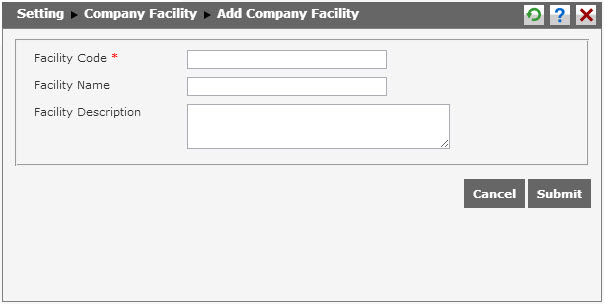
To create new facility, follow these steps.
- Input the code of the facility in Facility Code textbox (required). For example, “FC001” is the code of Computer.
- Input the facility name in Facility Name textbox. Input the name in all available language columns.
- Input description about the facility in Facility Description textbox.
After finish completing the data, click  to save the data. Click
  to cancel creating the data.